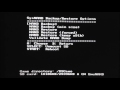
Today I'll be showing you how to unrbick your 3DS using A9LH. This no longer requires a hardmod. This is very easy and should only take a couple of minutes to do.
---TUTORIAL---
1. Copy your sysNAND_original.bin file from your A9LH installation folder to the root of your SD Card.
1a. If you do not have sysNAND_original, any other NAND backup from your console is fine.
2. Put your SD Card into your 3DS
3. Hold down L+R, and then press the Power button to turn your console on.
4. Navigate to SysNAND Options --- SysNAND Backup/Restore... --- NAND Restore (keep a9lh)
5. Press the on screen button command.
6. Use the D-Pad to find the name of your NAND file and press 'A' over it.
7. Wait for it to complete.
8. Your 3DS should now be unbricked!
If you didn't brick yet but want to prevent bricking in the future, install A9LH using the link below.
---LINKS---
A9LH Guide: https://github.com/Plailect/Guide/wiki
How To Unsoft Brick: https://www.youtube.com/watch?v=Wja1_HWXBGA
~~~~~~~~~~~~~~~~~~~~~~~~~~~~~~~~~~~~~
Donate: http://bit.ly/1RMESY8
Subscribe: http://bit.ly/24FZ4lF
Website: http://bit.ly/1TYsPJw
~~~~~~~~~~~~~~~~~~~~~~~~~~~~~~~~~~~~~
Thanks for watching! Like, subscribe, and comment for more codes, tutorials & videos :)